
Welcome to Mobile Dashboard Help
Use the Mobile Dashboard application to view grids, gauges, maps, forms, and charts showing your Sage 300 Construction and Real Estate data.
- A dashboard report specifies where the information comes from (the company database in SQL Server) as well as the database views and fields to use.
- A dashboard report part specifies how the report information is displayed, such as a grid or chart.
- A dashboard is a collection of report parts, which can be from different dashboard reports and even different databases (if you have more than one company).
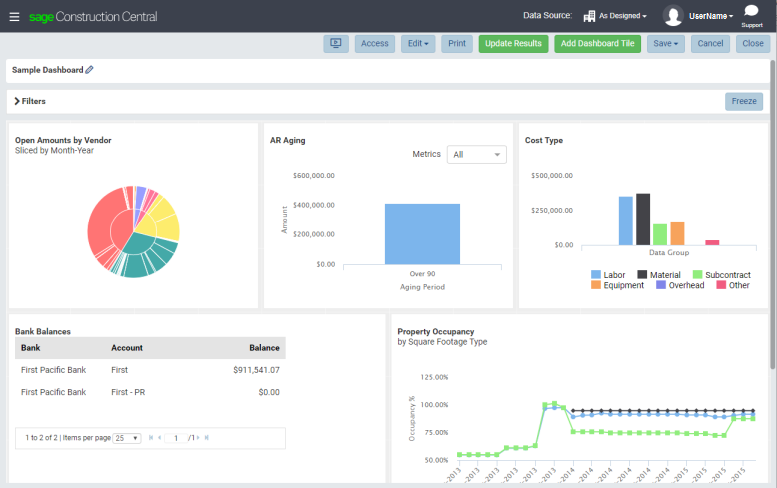
The following sample dashboard includes a variety of report parts showing Sage 300 Construction and Real Estate data.
Tip: Sage provides a variety of dashboard reports that you can import and use for your dashboards. For more information; see Sage dashboard reports.
Access the Mobile Dashboard application from Sage Construction Central. More:
If you have a Viewer license, you can:
If you have a Designer license, you can also:
- Set up Mobile Dashboard
- Create and edit dashboard reports and report parts
- Create and manage dashboards
- Set access rights to dashboard reports and dashboards
To use Mobile Dashboard, you must have permissions to SQL Data Access in Sage 300 Construction and Real Estate Security Administration. You must also have access to the relevant database tables so the data will display.